

wp:paragraph
Internet connections are available in public places like eateries, shops, educational centers, and official buildings.
/wp:paragraph
wp:paragraph
While the speed of these connections may not match that of personal internet services, they can still prove valuable for tasks like work, study, or leisure, particularly when traveling or without alternative online access.
/wp:paragraph
wp:paragraph
Are you looking for a nearby public internet connection? This guide provides everything you need to know and various helpful suggestions.
/wp:paragraph
wp:image {“id”:2353,”width”:”676px”,”height”:”auto”,”sizeSlug”:”full”,”linkDestination”:”none”,”align”:”center”}

/wp:image
wp:heading
Step-by-step guide
/wp:heading
wp:paragraph
Before starting, here’s an overview of how to find a public internet connection in your area:
/wp:paragraph
wp:list
- wp:list-item
- Visit an establishment offering public internet access.
/wp:list-item
/wp:list
wp:paragraph
/wp:paragraph
wp:list
- wp:list-item
- Go to a community resource that provides free internet services.
/wp:list-item
/wp:list
wp:paragraph
/wp:paragraph
wp:list
- wp:list-item
- Look for public network options in local open spaces or public buildings.
/wp:list-item
/wp:list
wp:paragraph
/wp:paragraph
wp:list
- wp:list-item
- Use a network-finding app to locate available connections.
/wp:list-item
/wp:list
wp:paragraph
/wp:paragraph
wp:list
- wp:list-item
- Contact your service provider to ask about public access points.
/wp:list-item
/wp:list
wp:paragraph
/wp:paragraph
wp:list
- wp:list-item
- Turn your mobile device into a hotspot to share the internet.
/wp:list-item
/wp:list
wp:heading
Where can you access free internet connections?
/wp:heading
wp:image {“id”:2358,”width”:”618px”,”height”:”auto”,”sizeSlug”:”full”,”linkDestination”:”none”,”align”:”center”}

/wp:image
wp:paragraph
Cafes, eateries, and community centers often provide reliable internet.
/wp:paragraph
wp:paragraph
These spots generally offer consistent connections and seating arrangements, allowing you to work or study.
/wp:paragraph
wp:paragraph
It’s rare to find an eatery that doesn’t offer free internet. If you’re uncertain, many will display a notice to let you know.
/wp:paragraph
wp:paragraph
Cafes, in particular, are ideal locations for a few hours of focused work or study outside your usual setting.
/wp:paragraph
wp:paragraph
Large chains and smaller establishments alike are known for providing internet access.
/wp:paragraph
wp:paragraph
Public information centers commonly offer fast, free internet for visitors.
/wp:paragraph
wp:paragraph
Many educational institutions maintain strong connections across their premises, even during off-hours.
/wp:paragraph
wp:paragraph
Common locations with free internet access:
/wp:paragraph
wp:list
- wp:list-item
- Eateries
/wp:list-item
/wp:list
wp:paragraph
/wp:paragraph
wp:list
- wp:list-item
- Cafes
/wp:list-item
/wp:list
wp:paragraph
/wp:paragraph
wp:list
- wp:list-item
- Community centers
/wp:list-item
/wp:list
wp:paragraph
/wp:paragraph
wp:list
- wp:list-item
- Public offices
/wp:list-item
/wp:list
wp:paragraph
/wp:paragraph
wp:list
- wp:list-item
- Educational institutions
/wp:list-item
/wp:list
wp:paragraph
/wp:paragraph
wp:list
- wp:list-item
- Health facilities
/wp:list-item
/wp:list
wp:paragraph
/wp:paragraph
wp:list
- wp:list-item
- Learning centers
/wp:list-item
/wp:list
wp:paragraph
/wp:paragraph
wp:list
- wp:list-item
- Transport hubs
/wp:list-item
/wp:list
wp:paragraph
/wp:paragraph
wp:list
- wp:list-item
- Outdoor recreational spaces
/wp:list-item
/wp:list
wp:paragraph
Public spaces and other publicly supported facilities often provide internet access points, though the connection may not always be strong, especially in open areas.
/wp:paragraph
wp:paragraph
Public offices and administrative centers typically offer internet for their personnel, and you might ask a receptionist for access to the guest network.
/wp:paragraph
wp:paragraph
However, you might not always find suitable internet seating for extended periods.
/wp:paragraph
wp:paragraph
You can also frequently locate free internet access in medical centers, travel hubs, and educational institutions.
/wp:paragraph
wp:paragraph
Pro Tip:
/wp:paragraph
wp:paragraph
Numerous mobile devices can serve as internet access points. Check our guide on setting up mobile tethering or explore more details below.
/wp:paragraph
wp:heading
How to Locate Free Internet Access Points?
/wp:heading
wp:paragraph
Search online for locations that provide free connectivity to locate free internet access points.
/wp:paragraph
wp:paragraph
You can also use a hotspot locator app or check with local authorities for public access networks.
/wp:paragraph
wp:paragraph
When you’re out and want to see if any networks are available nearby, open your device and check for accessible connections.
/wp:paragraph
wp:paragraph
Review the list of available connections in your device’s network settings to identify networks you can use.
/wp:paragraph
wp:paragraph
For example, while at a café, you may see a network named after the business, likely offering free Wi-Fi.
/wp:paragraph
wp:paragraph
You might find the connection key displayed in a visible spot, on a receipt, or by asking the staff for help.
/wp:paragraph
wp:paragraph
If you haven’t left home and are looking for a place with internet access, several reliable resources can assist you in finding these locations.
/wp:paragraph
wp:heading
Free Wi-Fi Access at Fast-Food Restaurants and Stores
/wp:heading
wp:image {“id”:2357,”width”:”652px”,”height”:”auto”,”sizeSlug”:”full”,”linkDestination”:”none”,”align”:”center”}

/wp:image
wp:paragraph
You can often access free Wi-Fi at fast-food restaurants and retail stores.
/wp:paragraph
wp:paragraph
Many well-known chains offer this service, allowing you to connect by selecting their network from the available Wi-Fi options on your phone.
/wp:paragraph
wp:paragraph
Sometimes, you may need to sign in through a portal or enter a code on your receipt.
/wp:paragraph
wp:paragraph
Sometimes, you might not even need to purchase to use their Wi-Fi. It’s possible to connect from outside the store in specific locations.
/wp:paragraph
wp:paragraph
Here’s a list of popular restaurant and retail chains that typically offer free Wi-Fi.
/wp:paragraph
wp:paragraph
In the United States, nearly half of individuals report regularly using public Wi-Fi, based on a survey of 1,000 participants about their Wi-Fi usage habits.
/wp:paragraph
wp:paragraph
Popular dining spots and retail outlets that provide free internet access include:
/wp:paragraph
wp:list
- wp:list-item
- Coffeehouse chains
/wp:list-item
/wp:list
wp:paragraph
/wp:paragraph
wp:list
- wp:list-item
- Fast food restaurants
/wp:list-item
/wp:list
wp:paragraph
/wp:paragraph
wp:list
- wp:list-item
- Quick-service restaurants
/wp:list-item
/wp:list
wp:paragraph
/wp:paragraph
wp:list
- wp:list-item
- Fried chicken chains
/wp:list-item
/wp:list
wp:paragraph
/wp:paragraph
wp:list
- wp:list-item
- Mexican food outlets
/wp:list-item
/wp:list
wp:paragraph
/wp:paragraph
wp:list
- wp:list-item
- Sandwich shops
/wp:list-item
/wp:list
wp:paragraph
/wp:paragraph
wp:list
- wp:list-item
- Department stores
/wp:list-item
/wp:list
wp:paragraph
/wp:paragraph
wp:list
- wp:list-item
- Electronics retailers
/wp:list-item
/wp:list
wp:paragraph
/wp:paragraph
wp:list
- wp:list-item
- Home improvement stores
/wp:list-item
/wp:list
wp:paragraph
/wp:paragraph
wp:list
- wp:list-item
- Coffee chains (previously known by another name)
/wp:list-item
/wp:list
wp:paragraph
/wp:paragraph
wp:list
- wp:list-item
- Specialty coffee shops
/wp:list-item
/wp:list
wp:paragraph
/wp:paragraph
wp:list
- wp:list-item
- Beverage and snack chains
/wp:list-item
/wp:list
wp:paragraph
/wp:paragraph
wp:list
- wp:list-item
- Café chains
/wp:list-item
/wp:list
wp:paragraph
/wp:paragraph
wp:list
- wp:list-item
- Bakery-cafés
/wp:list-item
/wp:list
wp:paragraph
/wp:paragraph
wp:list
- wp:list-item
- Roast beef chains
/wp:list-item
/wp:list
wp:paragraph
/wp:paragraph
wp:list
- wp:list-item
- Fast-food burger joints
/wp:list-item
/wp:list
wp:heading
If you’re unsure whether a local Wi-Fi hotspot is free, simply ask.
/wp:heading
wp:paragraph
Don’t hesitate to inquire if Wi-Fi access is free when you’re at a business or building.
/wp:paragraph
wp:paragraph
You can check with the manager, cashier, server, bartender, or receptionist to see if they offer Wi-Fi and if you can get the password.
/wp:paragraph
wp:paragraph
Often, politeness and a simple request are all you need to gain access to free Wi-Fi.
/wp:paragraph
wp:heading
Check with your internet provider for public Wi-Fi hotspots.
/wp:heading
wp:image {“id”:2356,”width”:”652px”,”height”:”auto”,”sizeSlug”:”full”,”linkDestination”:”none”,”align”:”center”}

/wp:image
wp:paragraph
Many internet service providers offer hotspot networks that customers can use while outside.
/wp:paragraph
wp:paragraph
Providers like Cox, Spectrum, and Xfinity typically provide such services.
/wp:paragraph
wp:paragraph
To connect, use your account credentials with the provider. These hotspots are usually limited to the provider’s customers.
/wp:paragraph
wp:paragraph
There are plenty of public hotspots—Xfinity, for example, boasts millions. Xfinity hotspots are a great option due to their availability, reliability, and security.
/wp:paragraph
wp:paragraph
They even have an app for iOS and Android to help you locate hotspots nearby.
/wp:paragraph
wp:heading
Use a tool to find available internet connections.
/wp:heading
wp:paragraph
Various platforms can help identify nearby connections. Common choices include apps and services that gather user-contributed data to map connection points globally.
/wp:paragraph
wp:paragraph
One platform has millions of access points, while another offers a web version for easy use on larger screens.
/wp:paragraph
wp:heading
Invest in a portable internet device for improved performance.
/wp:heading
wp:paragraph
While shared or personal connections may work in emergencies, a separate device designed for internet access offers more reliable service, enables connection of multiple devices, and saves battery life.
/wp:paragraph
wp:paragraph
Although these devices require an upfront cost, they are invaluable for people who frequently need reliable access, especially in collaborative settings or when large amounts of data are involved.
/wp:paragraph
wp:paragraph
Tip:
/wp:paragraph
wp:paragraph
Choose a high-speed portable device that supports multiple connections and adds security features for the best performance.
/wp:paragraph
wp:heading
Safe vs. Unsafe Actions on Public Networks
/wp:heading
wp:table
| Safe Actions | Unsafe Actions |
| Visit secure websites | Visit unprotected websites |
| Send messages without confidential details | Send messages with private or sensitive data |
| Watch online content | Access financial platforms or any site with personal information |
| Search online and read updates | Download files from unfamiliar sources or open messages from unknown contacts |
/wp:table
wp:paragraph
Public internet connections are widely available, but their convenience also increases their vulnerability to cyberattacks, harmful software, and other security threats.
/wp:paragraph
wp:paragraph
Avoid using shared networks when handling sensitive personal information, such as financial documents or online transactions.
/wp:paragraph
wp:paragraph
Instead, connect to a secure, password-protected network like a private home connection or a mobile data hotspot.
/wp:paragraph
wp:paragraph
Pro Tip:
/wp:paragraph
wp:paragraph
To further secure your activity on public networks, use a privacy service.
/wp:paragraph
wp:paragraph
This service hides your location and network identifier, keeping your information secure. Explore our recommendations for the top privacy services.
/wp:paragraph
wp:heading
How to Connect to Public Open Network
/wp:heading
wp:image {“id”:2355,”width”:”636px”,”height”:”auto”,”sizeSlug”:”full”,”linkDestination”:”none”,”align”:”center”}

/wp:image
wp:paragraph
To access an open public connection, go to your device’s connection settings and choose an available network.
/wp:paragraph
wp:paragraph
You may need to wait for a sign-in page to appear, where you can either agree to the terms or provide a password if required.
/wp:paragraph
wp:paragraph
For Laptop Devices:
/wp:paragraph
wp:list {“ordered”:true}
- wp:list-item
- Click the connection icon in the corner of your screen.
- Enable the connection if it’s off.
- Select a network from the available list.
- Open the web browser and wait for the sign-in page to load. Accept the terms or input the password if required.
/wp:list-item
wp:list-item
/wp:list-item
wp:list-item
/wp:list-item
wp:list-item
/wp:list-item
/wp:list
wp:paragraph
For Desktop Devices:
/wp:paragraph
wp:list {“ordered”:true}
- wp:list-item
- Click the connection icon in your taskbar. If disconnected, click the icon indicating no connection.
- Click the drop-down menu or choose ‘Manage connections.’
- Select a network from the options.
- Open the browser and wait for the sign-in page. Agree to the terms or input the password if necessary.
/wp:list-item
wp:list-item
/wp:list-item
wp:list-item
/wp:list-item
wp:list-item
/wp:list-item
/wp:list
wp:paragraph
For Mobile Devices (iOS):
/wp:paragraph
wp:list {“ordered”:true}
- wp:list-item
- Go to Settings > Connections.
- Choose a network from the available list.
- Open the browser and wait for the sign-in page to load. Agree to the terms or provide the password if needed.
/wp:list-item
wp:list-item
/wp:list-item
wp:list-item
/wp:list-item
/wp:list
wp:paragraph
For Mobile Devices (Android):
/wp:paragraph
wp:list {“ordered”:true}
- wp:list-item
- Go to Settings > Network & Connections.
- Select a network from the list.
- Open the browser and wait for the sign-in page. Agree to the terms or input the password if required.
/wp:list-item
wp:list-item
/wp:list-item
wp:list-item
/wp:list-item
/wp:list
wp:heading {“level”:3}
What to Do If the Connection Prompt Doesn’t Appear
/wp:heading
wp:paragraph
Some public networks require users to access a page in their browser where they must confirm agreements or enter access details.
/wp:paragraph
wp:paragraph
If the prompt doesn’t load automatically, try triggering it by entering one of these addresses in the address field and pressing Enter:
/wp:paragraph
wp:list
- wp:list-item
- 127.1.1.1
/wp:list-item
/wp:list
wp:paragraph
/wp:paragraph
wp:list
- wp:list-item
- 1.1.1.1
/wp:list-item
/wp:list
wp:paragraph
/wp:paragraph
wp:list
- wp:list-item
- 192.168.1.1
/wp:list-item
/wp:list
wp:paragraph
/wp:paragraph
wp:list
- wp:list-item
- http://localhost
/wp:list-item
/wp:list
wp:heading
How to Use Your Device as a Wireless Connection Source?
/wp:heading
wp:image {“id”:2354,”width”:”644px”,”height”:”auto”,”sizeSlug”:”full”,”linkDestination”:”none”,”align”:”center”}
/wp:image
wp:paragraph
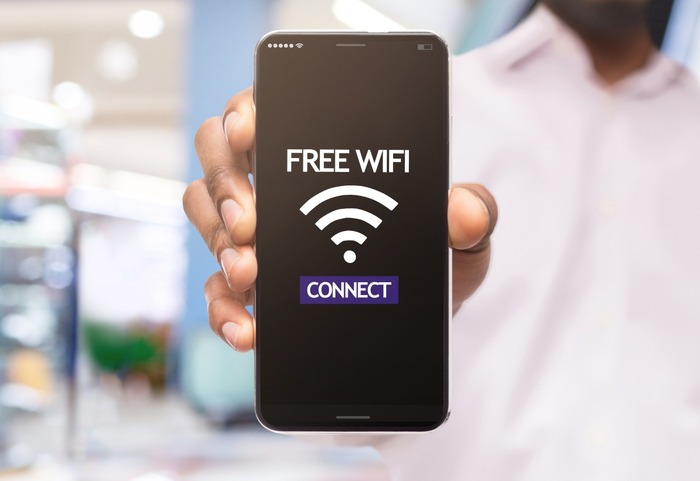
Most mobile devices can share connection gadgets.
/wp:paragraph
wp:paragraph
For Apple devices: Access the settings menu, find the connection sharing option, and enable it to activate the wireless connection.
/wp:paragraph
wp:paragraph
For Android devices: Go to the settings menu, locate the network section, and select the connection sharing option to enable the wireless feature.
/wp:paragraph
wp:paragraph
You can also adjust the network identifier and access code for further customization.
/wp:paragraph
wp:paragraph
The setup process may vary by device, but it’s typically easy to configure on most models.
/wp:paragraph
wp:paragraph
Using your mobile device as a wireless connection source offers convenience by providing a secure link wherever there’s network coverage, eliminating the need to search for other connection sources.
/wp:paragraph
wp:paragraph
However, some service providers limit usage or charge extra fees for more data.
/wp:paragraph
wp:paragraph
Additionally, it consumes battery and data quickly, so it’s better suited for short-term use rather than long-term reliance.
/wp:paragraph
wp:heading
What are access points?
/wp:heading
wp:paragraph
Access points provide wireless network connections for the public, allowing devices to connect to the internet while traveling.
/wp:paragraph
wp:paragraph
They offer an alternative to using mobile data, enabling unrestricted access.
/wp:paragraph
wp:paragraph
To connect, simply find the network identifier in your device’s connection settings and link up.
/wp:paragraph
wp:paragraph
Sometimes, the system may prompt you to visit a page or input additional details before granting access, but the process remains simple.
/wp:paragraph